 PromptDeck
Native macOS · for anyone running AI agents
Your agents are fast. Your tracking is not.
PromptDeck is the queue between you and your AI agents. Capture the task, decide what it is worth, hand it over, and get back a report you can review in four lines instead of re-reading a chat transcript.
In development. macOS 15+. No release date announced.

The actual problem
Delegating to an agent is easy. Knowing where it all stands is not.
One agent finished. One is halfway through. One stopped three days ago because it needed something only you can do, and you have not noticed yet. The work is spread across terminal tabs, chat threads and your own memory.
1
One queue, not six tabs
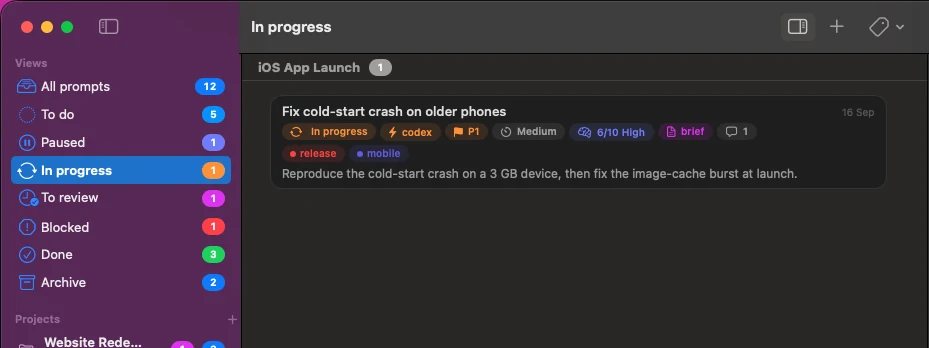
Every task you hand to an agent lives in one list, grouped by project, with a status you can see at a glance and counts in the sidebar.
2
Blocked is a real state
An agent that cannot continue says so, and says what it needs from you. It stops being an unread scroll-back and becomes a line in your queue.
3
Review, then close
Finished work lands in To review, not in Done. You validate it, or send it back, and the review history stays attached.
How it works
Four steps, and none of them is "scroll back up".
1. Triage before you delegate
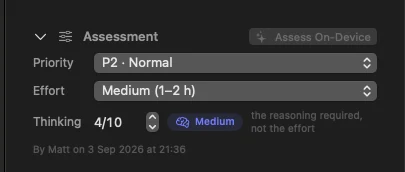
Every prompt carries a priority, an effort estimate and a thinking score: how much reasoning the task actually needs, not how long it takes. Sort the queue by either one.
That score is the cheapest decision you make all day. It tells you what deserves your most expensive model and what a small one will finish just as well.
2. The brief is not your note
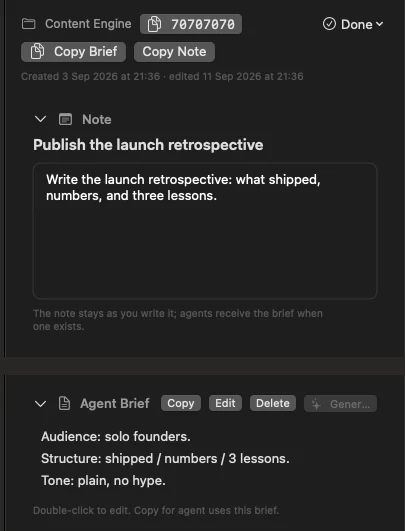
Your note stays exactly as you typed it. Alongside it sits an optional agent brief: audience, structure, tone, constraints. Written by you, or generated on device.
One click copies the note. One click copies the brief. The agent gets the version meant for an agent, and your own thinking is never rewritten underneath you.
3. Agents report back in a fixed shape
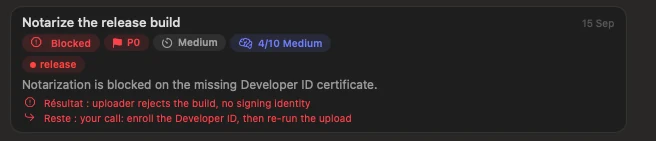
Every agent result, review and progress note uses the same short template: what happened, the proof, where it landed, what is left. It shows up on the card itself.
Because the shape is fixed, you read the outcome of six tasks in the time it used to take to reconstruct one. A vague or incomplete report gets flagged instead of quietly passing.
4. Find anything, including by ID
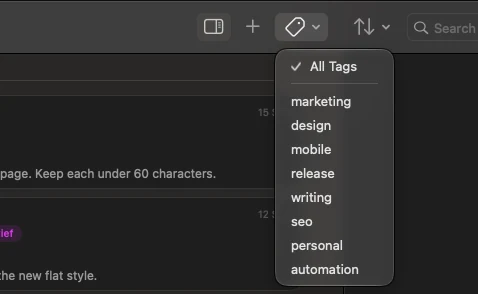
Search runs across titles, notes, briefs, projects and tags. Filter by tag, by status, or by project. Archive what is finished with the retention you choose.
Every prompt also has a short copyable ID. Paste it into an agent and it knows exactly which task you mean, with no ambiguity and no re-explaining.

Agent-ready
Built for you. Open to your agents.
You are the one using PromptDeck. The Direct edition's development builds include a companion command-line tool for agents to read and update the same queue. The App Store edition uses App Intents instead; availability depends on the edition and release.
An agent claims a prompt, comments on it, marks it complete, or says it is blocked. The app is watching the same file and updates while you look at it. Both sides can write at once without either losing an edit.
Nothing here grants an agent authority it did not have. It reads what you gave it, writes back what it did, and anything sensitive stays where it belongs: with you.
›_
A surface, not a scrape
The agent asks the app what it supports and gets a machine-readable answer. It never has to guess from pixels or reverse-engineer a file format.
⇄
Two writers, one file
You and your agent can edit the same queue at the same time. Changes are merged per prompt, so neither side silently overwrites the other.
●
You keep the authority
Being agent-ready is about being readable and checkable. It is not permission. Consent, credentials and anything irreversible stay with you.
What "Agent-ready" means on this page. It means the application is deliberately built so a capable agent can understand what is supported, work inside stated limits, and leave a result you can verify. It is a design posture, not a certification, and it is not a claim that an agent should be using this app instead of you.
Appro also runs a separate, stricter compatibility mark with its own audit gate. PromptDeck does not carry that mark. Read the agent-ready approach.
The honest part
What it is, and what it is not yet.
Why say all that on a product page. Because the alternative is a download button that does not work, and a launch date I would have to walk back. When PromptDeck is signed and notarized, this page gets a real button, and you can hear about it first.