
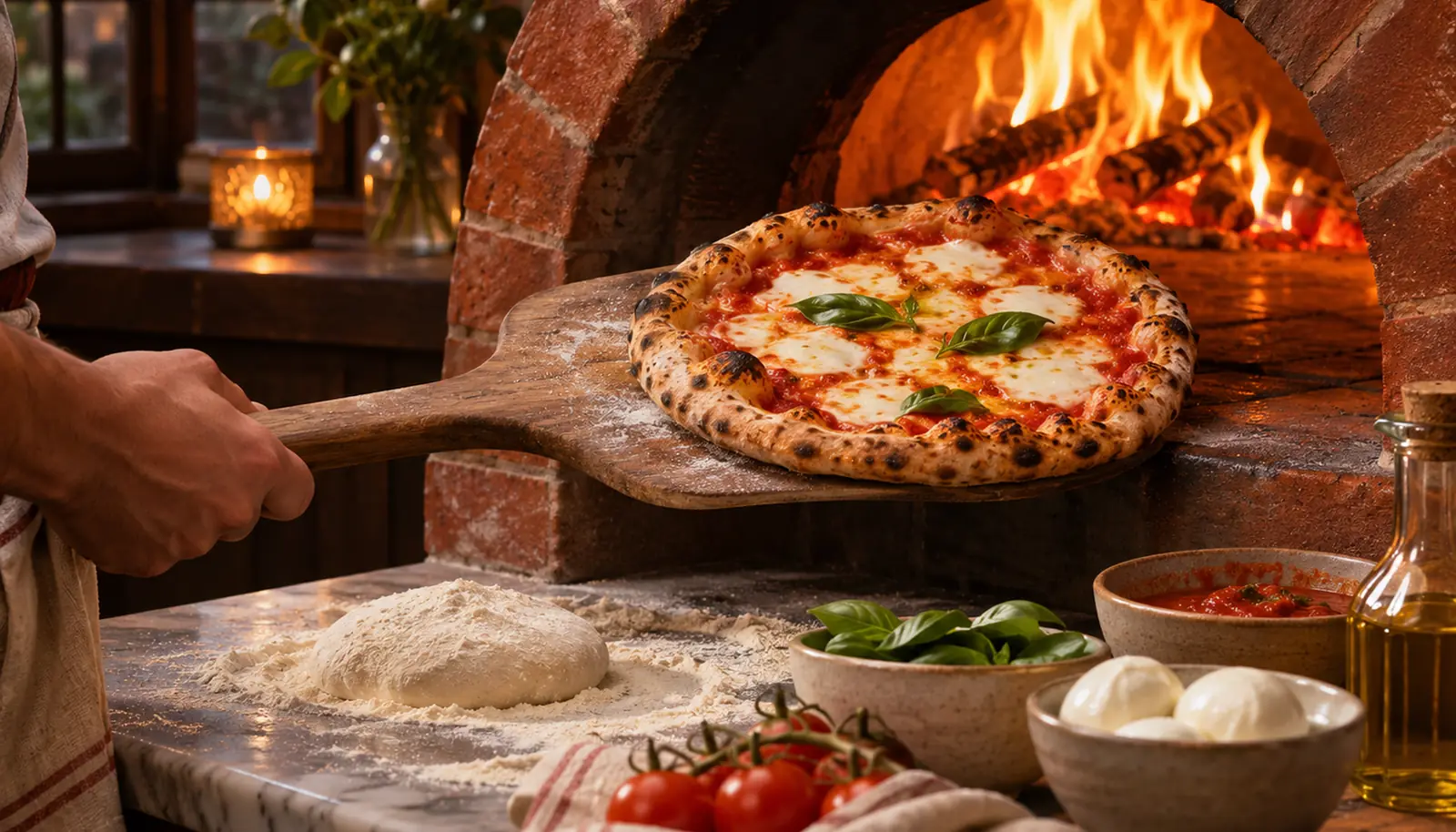
For restaurants in Belgium
Your restaurant’s own online ordering site
Appro sets up online ordering sites for restaurants in Belgium. Customers choose a time for click and collect or delivery. Your kitchen team receives the orders on an iPad or iPhone.
Forno Ada, the wood-fired pizzeria on this page, is a fictitious restaurant created to demonstrate the product.
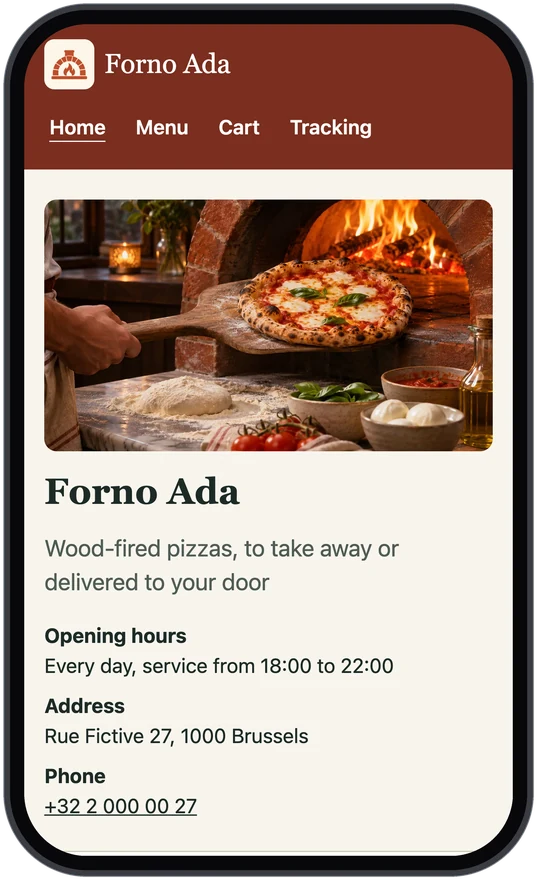
Your orders arrive under your own name.
Your restaurant takes orders under its own name. Share a link to your menu so customers can order directly from you.
Customers pay by card or Bancontact through Stripe, and the money goes to your restaurant's own Stripe account. No marketplace commission is added to Stripe's own payment fees.
From the menu to the kitchen
These are real captures of the product, running for Forno Ada. The restaurant, its menu, its orders and its customers are invented. Your site carries your own name, menu and photos.
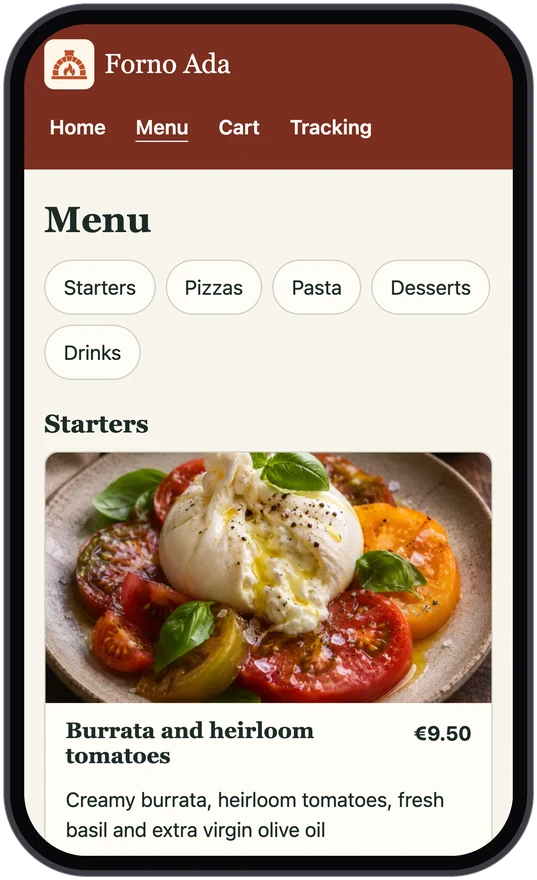
Your menu, with your photos
Customers browse your menu by category, with a photo, a description and a price for each dish. The site is designed for the phone first.
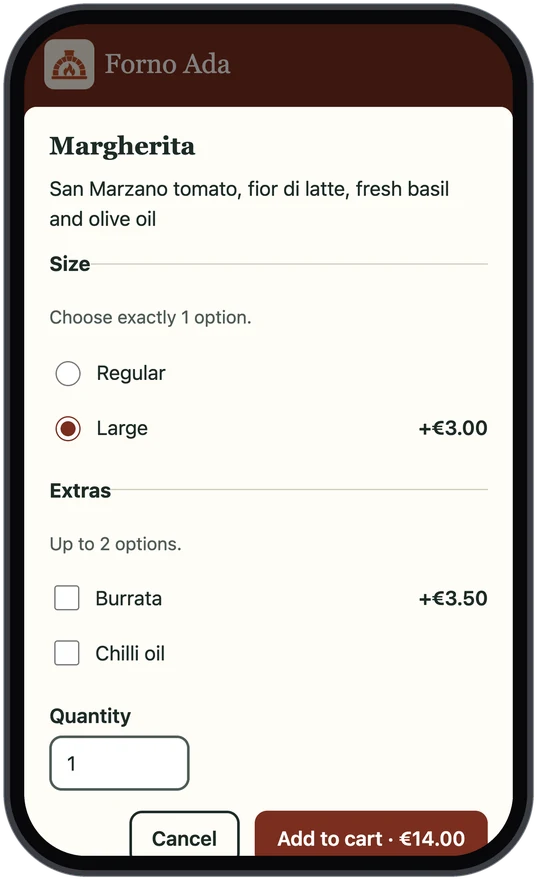
Sizes and extras, the way you sell them
A dish can carry its own choices, such as a size or extras, each with its own price. The amount updates before the dish goes into the basket.
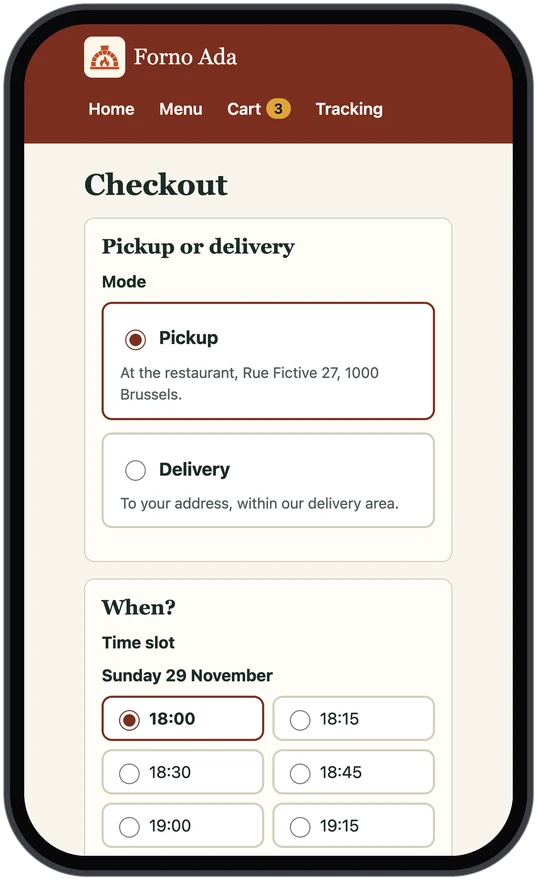
Pickup or delivery, at the time they choose
The customer chooses pickup or delivery, then a time slot: later the same day, or on another day to order ahead.
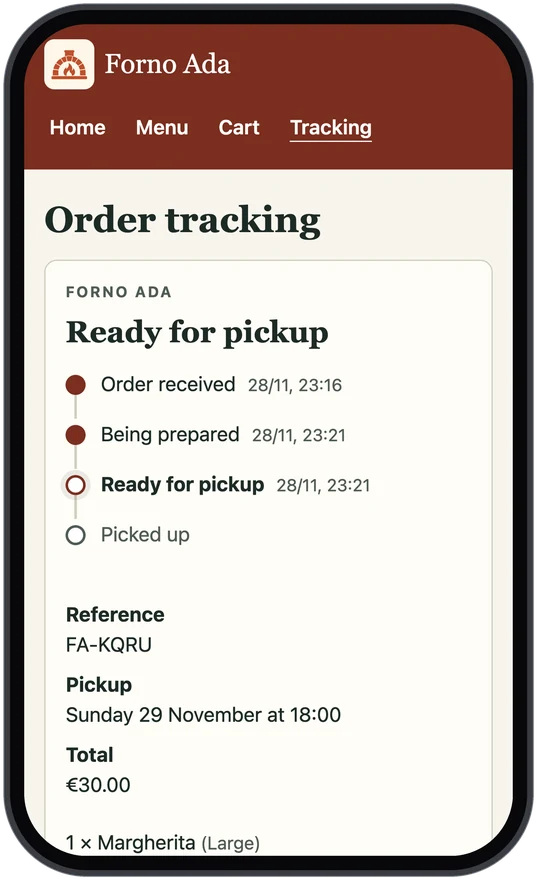
A private link to follow the order
After paying, the customer receives a private tracking link. It shows each step: received, in preparation, ready or on its way, then picked up or delivered.
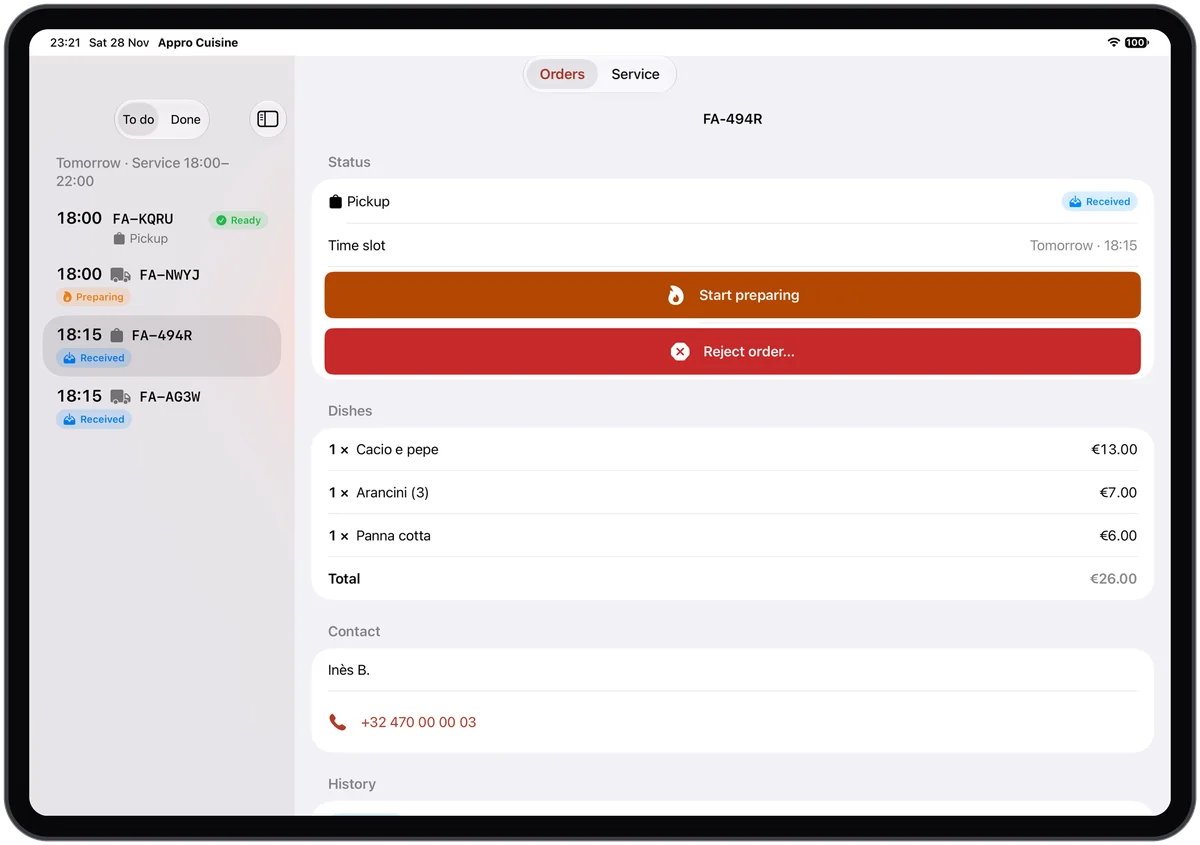
Every order, on the kitchen iPad
Incoming orders appear by time slot, with their status. The team opens one to see the dishes, the slot and whether it is pickup or delivery, then moves it to the next status.
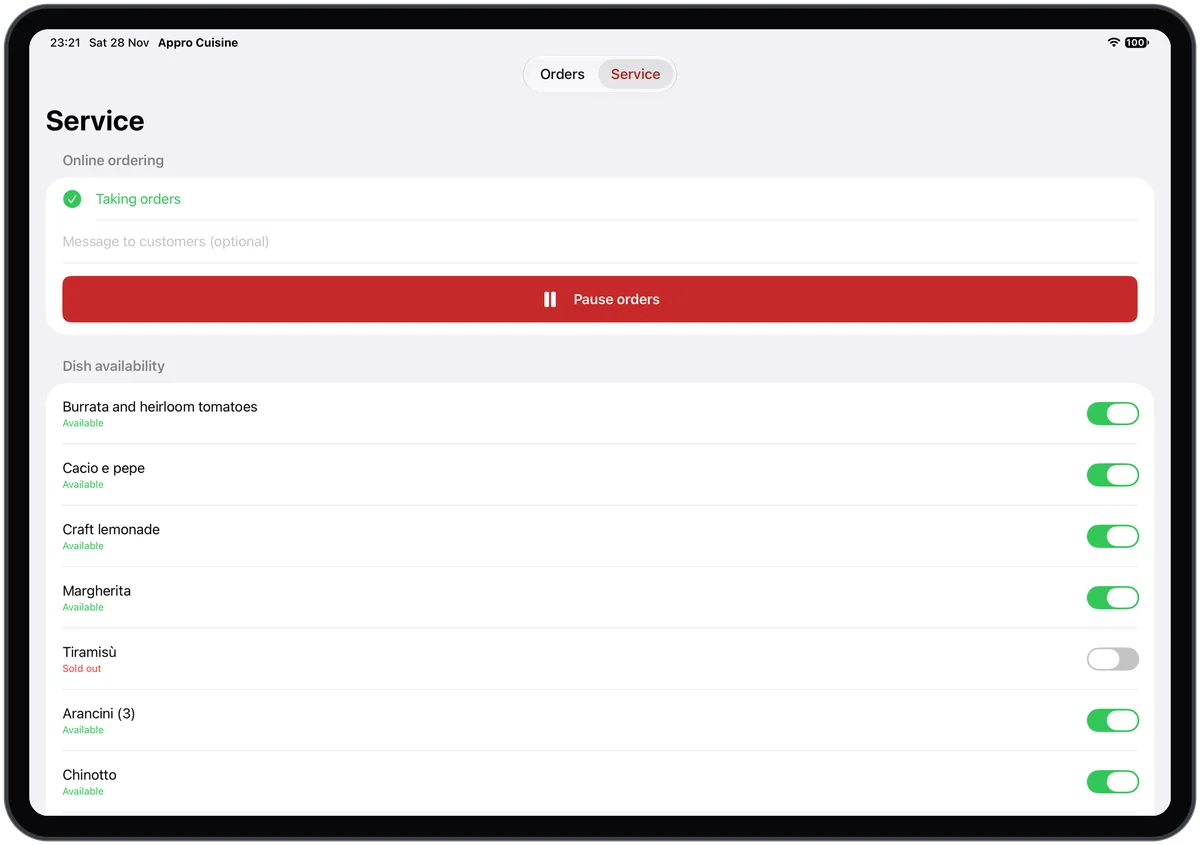
Pause orders, mark a dish sold out
When the kitchen is full, the team pauses online orders from the Service tab. A dish that runs out is marked sold out.
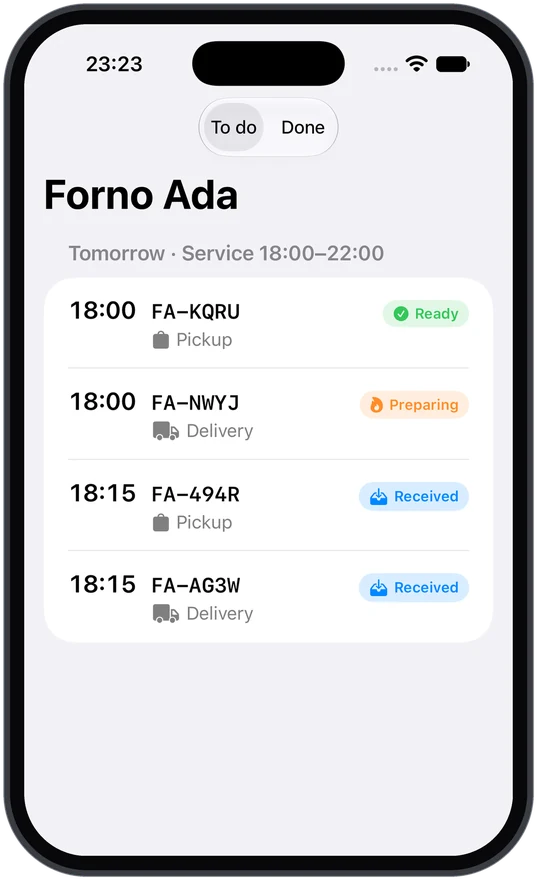
The same orders on an iPhone
The kitchen app also runs on iPhone. The iPad and the iPhone stay in sync, so the whole team sees the same orders and statuses.
Online ordering and kitchen tools
Three parts: the site your customers order from, the app your team works in, and the setup Appro does for you.
For your customers
- An ordering website under your restaurant's own name
- Pickup or delivery
- A time slot chosen when ordering
- Ordering ahead, for later in the day or another day
- Online payment by card or Bancontact, through Stripe
- A private link to follow the order: received, in preparation, ready or on its way, picked up or delivered
For your team
- A kitchen app for iPad and iPhone
- Incoming orders, with their time slot and details
- Statuses moved forward as each order progresses
- Online orders paused when the kitchen is full
- A dish marked sold out
- iPad and iPhone kept in sync
Set up by Appro
- Your name, menu and photos on the ordering site
- Your menu imported by Appro
- Accounts for your team, created for you
- Payments made to your restaurant's own Stripe account, with no marketplace commission
From €59 / month, excl. VAT.
Set-up or website creation costs are added.
Restaurant ordering FAQ
- How much does an ordering site cost?
- The subscription starts at €59 per month excluding VAT. Set-up or website creation costs are extra. Stripe charges payment processing fees for card and Bancontact payments. Appro charges no platform commission.
- Who receives the payment for each order?
- Customers pay by card or Bancontact through Stripe, and the money goes to your restaurant's own Stripe account. No marketplace commission is added to Stripe's own payment fees.
- How can customers track their orders?
- After paying, the customer receives a private tracking link. It shows each step: received, in preparation, ready or on its way, then picked up or delivered.
Tell me about your restaurant.
An email starts it, and it is answered quickly, by the person who would do the work.
hello@appro-app.com